

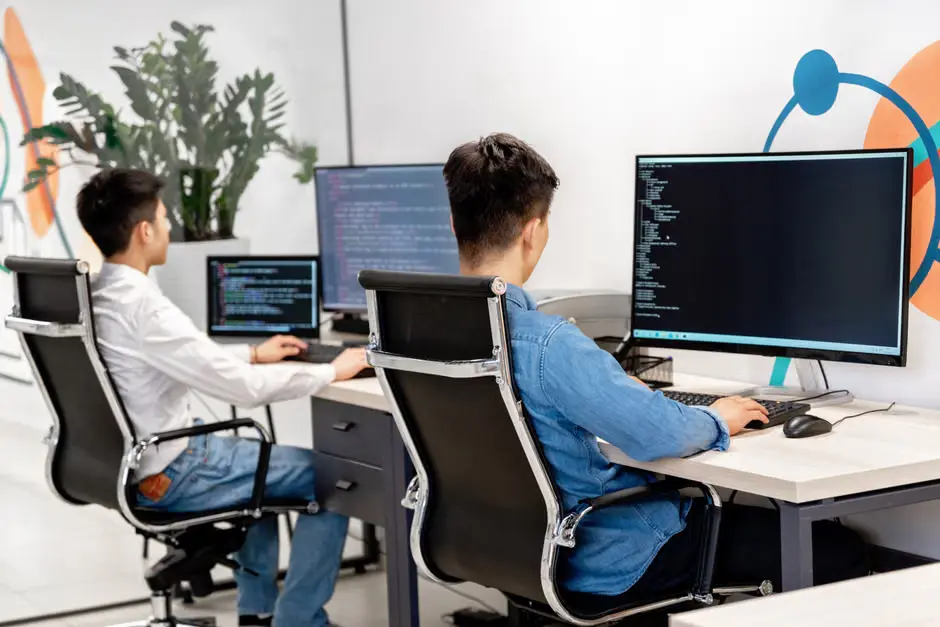
Software development is the process of turning a problem into a working digital solution, then checking and maintaining that solution. Writing code is important, but a reliable project also needs clear requirements, understandable design, tests, accessibility and an approach to fixing errors after release.
This guide walks through the core development process using a fictional community workshop website as a beginner exercise. You can start with a single HTML page and extend it gradually. The examples are for learning; no real registrations or sensitive information should be collected in an untested project.
What does software development involve?
A developer might work on websites, mobile applications, internal business tools, databases or systems that communicate with other services. The job usually involves understanding a user need, choosing a suitable solution, implementing it, checking that it works, and revising it when requirements or technology change.
A website’s front end is what people interact with in a browser. A back end, when needed, can process requests, apply access rules and connect to stored data. Some simple pages do not need a back end at all. Learning when a small static solution is enough helps avoid unnecessary complexity.
A practical software development lifecycle
- Identify the problem. Define what a visitor needs to accomplish. Avoid choosing a technology before understanding the task.
- Write requirements. List a small number of observable outcomes and important constraints such as privacy and accessibility.
- Design a simple solution. Sketch the page and how a visitor moves between steps. Decide which information actually belongs on the page.
- Implement a first version. Build the smallest working feature that meets a requirement.
- Test and review. Check both expected and unexpected behavior on different screens and input methods.
- Publish and maintain. Monitor problems, keep dependencies updated and revise the product when needs change.
Worked project: a beginner workshop information page
Imagine a fictional local organization wants to announce a free introductory technology workshop. The visitor should quickly understand the topic, time, location and whom to contact. For the first version, you can use a static HTML page. Do not include a real contact form until you can handle submissions, consent and data protection properly.
Define success before writing code
| Requirement | How to test it |
|---|---|
| The page explains the workshop topic. | Ask a reader to state the topic after scanning the heading and summary. |
| Date and venue are easy to identify. | Check that the details are readable on a phone and desktop screen. |
| The page has an understandable structure. | Check heading order and whether a keyboard user can reach any links. |
| Visitors know if details are provisional. | Label invented or unconfirmed information instead of presenting it as real. |
Create a tiny HTML starting point
This code is an educational example. Save it as index.html and open it locally in a browser. Every workshop detail is fictional; do not publish it as an actual event announcement.
<!doctype html>
<html lang="en">
<head>
  <meta charset="utf-8">
  <meta name="viewport" content="width=device-width, initial-scale=1">
  <title>Sample Digital Skills Workshop</title>
</head>
<body>
  <main>
    <h1>Sample Digital Skills Workshop</h1>
    <p>A fictional introduction to everyday online safety.</p>
    <h2>Practice details</h2>
    <p>Date and venue: not yet confirmed.</p>
    <p>This is a practice webpage, not a real event.</p>
  </main>
</body>
</html>
Notice the descriptive page title, one main heading, a second-level section heading and a main landmark. These choices help make the structure understandable. You can later add CSS for presentation without changing what the content means.
Test with a practical checklist
Software testing means asking whether the result meets its requirements, including conditions that are easy to overlook. For a small webpage, try these checks:
- Content: Are the title, date and location accurate? Are placeholders clearly marked?
- Small screens: Can visitors read the page without horizontal scrolling or tiny text?
- Keyboard: Can a person navigate any links or controls without a mouse?
- Images: If you add informative images, do they have useful text alternatives?
- Failure cases: If a referenced document is missing, does the visitor receive clear guidance rather than a broken link?
- Privacy: Does the first version collect no more information than it needs?
MDN’s Web Accessibility learning material explains why accessibility should be included from the beginning. Accessibility is an ongoing practice, not a one-time test that guarantees compliance.
What changes when a project adds forms and accounts?
A form that accepts real registrations introduces additional responsibilities: validation, storage, privacy disclosures, access control, handling duplicate submissions, and a safe way to recover from failures. At this stage you may need a back end, a trusted form service or a different design. Do not treat client-side checks as protection against malicious requests.
If you use a third-party service, review what data it collects, where responses go and which staff can access them. Ask for consent when applicable and avoid collecting passwords, identity documents or sensitive details for a simple beginner event.
How to choose a language or development approach
| Goal | Useful starting point | What to practise first |
|---|---|---|
| Build basic web pages | HTML and CSS | Structure, headings, links and readable layouts |
| Add interaction in the browser | JavaScript | Events, validation and explaining errors clearly |
| Analyze small datasets | Python or spreadsheets | Clean records, simple calculations and verification |
| Read and update database records | SQL | Filtering, grouping, keys and safe queries |
There is no universally best programming language. Use your project’s needs, available learning support and relevant job requirements as your decision criteria. Beginners often benefit from finishing one small project before switching technologies.
If you are starting with Python, practise with our five beginner Python projects with complete source code. Each example includes a runnable program, sample output and ideas for extending it.
Plan changes without making the project fragile
When adding a feature, write down what will change and how you will verify it. Keep versions of your code in a repository or another reliable backup. Make small changes so you can identify the source of a mistake. Before releasing a change, run the relevant tests and review any access or data-handling implications.
For group work, use a clear issue description such as: “The workshop location should show ‘To be confirmed’ until the organizer approves the venue.” Specify who can approve the change and how somebody can tell it is complete.
Common mistakes beginners can avoid
- Building an elaborate system before checking whether a simple page meets the need.
- Copying code without understanding what it reads, sends or stores.
- Publishing fictional information as if it describes a real service.
- Testing only on the developer’s own device or with the mouse.
- Ignoring error states, backups and changes to dependencies.
- Adding real customer data to examples or public repositories.
A four-week beginner development plan
| Week | Task | Outcome |
|---|---|---|
| 1 | Write three requirements and create the HTML page | Readable page with one H1 and honest sample details |
| 2 | Apply simple CSS for spacing and mobile readability | Page usable on phone and desktop |
| 3 | Test headings, keyboard navigation and any links | List of issues found and corrected |
| 4 | Ask a classmate to review, document changes and save a working version | Small portfolio example with clear limits and learning notes |
Official learning references
MDN Learn Web Development provides structured material and practice tasks. MDN Testing covers approaches to finding issues in web projects. For broader reasoning about automated tasks and systems, explore our Workflow Automation guide and Critical Thinking Skills.
Frequently asked questions
Is programming the same as software development?
No. Programming is an important part of implementation, while software development also covers requirements, design, testing, security, delivery and maintenance.
Do I need a server for my first webpage?
No. A simple HTML page can be opened locally. Deploying a public website requires appropriate hosting, domain settings and ongoing maintenance.
Should beginners use AI-generated code?
It can be a learning aid, but you should understand and test the code before running it with real data or sharing it publicly. Never paste private credentials into prompts.
What makes a first project useful in a portfolio?
A clear user problem, an understandable result, relevant checks and a candid explanation of what you built yourself and what remains unfinished.
Conclusion
Good software development is a repeatable process of understanding needs, building a manageable solution and checking how it behaves. Start with a small project whose correctness you can explain. That foundation is more durable than rushing toward a complicated stack.