
Learning Python from scratch is easier when you follow a sequence instead of jumping between random videos, courses and tools. Start by running a few lines of code, learn the core building blocks, practise small problems and then combine those skills in a project. You do not need a computer science degree or paid software to begin.
This guide gives complete beginners a practical route through Python: what to install, what to learn first, how to practise, how to handle errors and what to study over four weeks. If you already know another programming language, you can move through the early steps faster.
What is Python, and what can you use it for?
Python is a general-purpose programming language. People use it to automate repetitive work, analyse data, build web applications, test software, work with APIs and develop machine-learning tools. Its readable syntax makes it a useful first language, but writing reliable programs still takes practice.
Choose one reason to learn it before you start. For example, you might want to automate spreadsheet tasks, analyse datasets, build a small web application or prepare for a junior developer role. Your goal will help you choose useful practice projects later.
Step 1: Install Python and choose a simple editor
You need two things to begin: the Python interpreter, which runs your code, and a place to write that code. Download Python 3 from the official Python downloads page. Follow the installation instructions for your operating system.
You can write your first programs in the editor that comes with Python. If you prefer a more capable editor, Visual Studio Code is a free option. Install its Python extension after installing Python. Do not spend days comparing editors; choose one and start coding.
Check that Python is installed
Open Command Prompt, PowerShell or a terminal and enter one of these commands:
python --versionIf that command is not recognised, try:
py --version
python3 --version
The command that works depends on your operating system and installation. You should see a Python 3 version number. If none of the commands works, reopen the terminal after installation and check the installation instructions before continuing.
Write your first Python program
Create a file named hello.py. Add this line and save the file:
print("Hello, world!")Run it from the folder where you saved it:
python hello.pyOn some systems, use py hello.py or python3 hello.py. The terminal should display:
Hello, world!This small result confirms that you can save a Python file and run it. Keep this first file; you will use the same process for the exercises below.
Step 2: Learn the Python basics in the right order
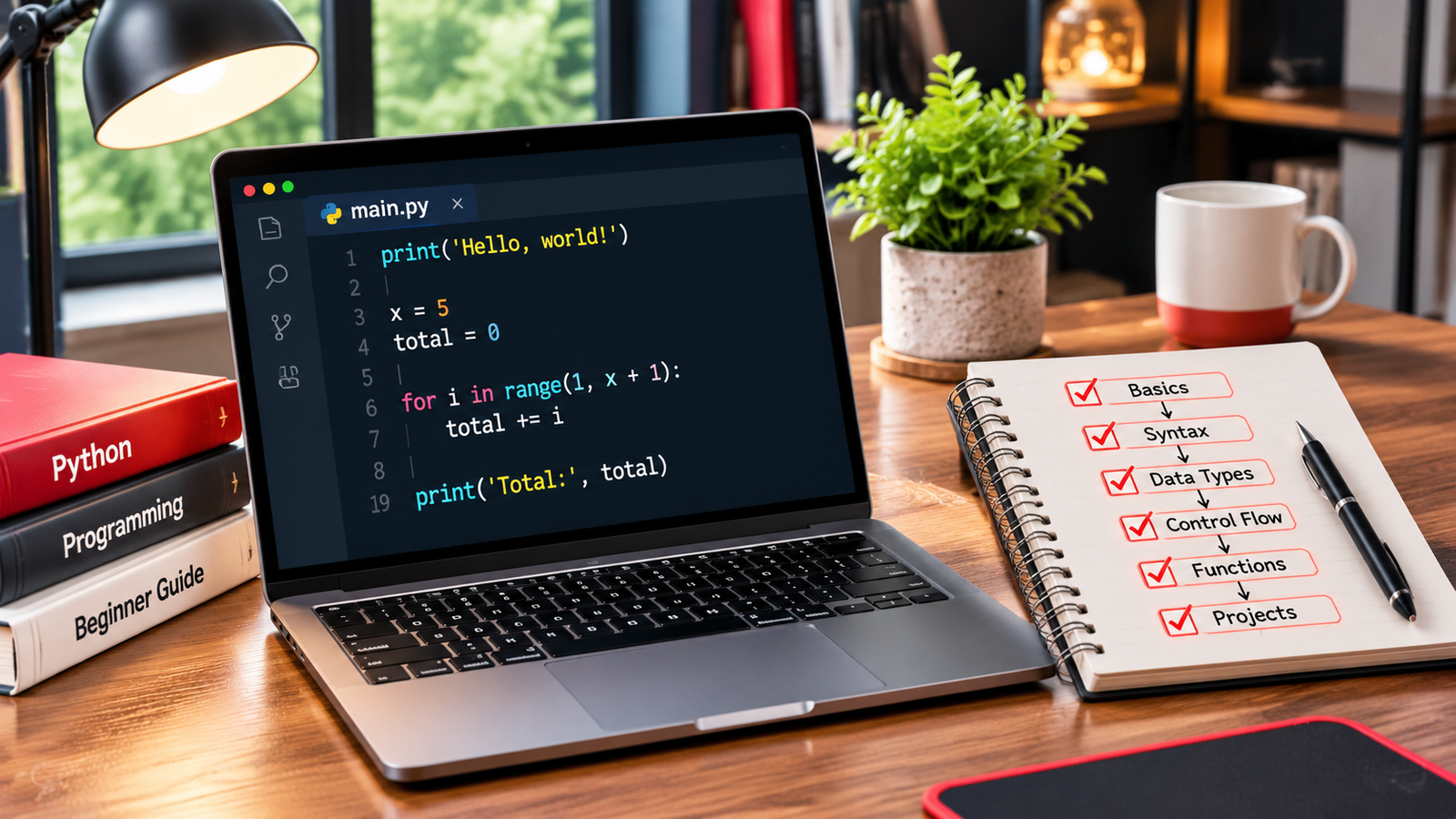
Do not try to memorise the whole language. Learn one concept, write a few examples and use it in a small task before moving on. The following order gives you the foundation needed for beginner projects.
1. Variables and data types
A variable gives a value a name. Python commonly works with strings (text), integers (whole numbers), floats (decimal numbers) and Booleans (True or False).
name = "Amina"
age = 21
hours_studied = 1.5
is_learning_python = True

print(name)
print(age)
print(hours_studied)
print(is_learning_python)
Practise creating variables, changing their values and checking their types with type(). Learn the difference between text such as "21" and a number such as 21.
2. Input and output
print() displays information. input() asks the user to enter text. Convert input to a number when you need to perform arithmetic.
name = input("What is your name? ")
hours = int(input("How many hours did you practise? "))

print(f"Hello, {name}.")
print(f"You practised for {hours} hour(s).")
Try entering different names and numbers. Then test what happens if you enter a word where the program expects a whole number. This introduces input validation and error handling.
3. Conditions
Conditions let a program choose what to do. Learn if, elif, else, comparison operators and the Boolean operators and, or and not.
score = 68

if score >= 80:
    print("Excellent")
elif score >= 50:
    print("Passed")
else:
    print("Keep practising")
Change the score and predict the output before running the program. This habit helps you understand how the logic works.
4. Loops
Loops repeat instructions. Use a for loop when you want to go through a sequence, and a while loop when repetition should continue until a condition changes.
for number in range(1, 6):
    print(number)

countdown = 3

while countdown > 0:
    print(countdown)
    countdown -= 1

print("Go!")
Practise counting, adding a series of numbers and repeating a menu until the user chooses to exit.
5. Functions
Functions group instructions into reusable pieces. They make programs easier to read, test and change.
def calculate_total(price, quantity):
    return price * quantity

total = calculate_total(250, 3)
print(f"Total: {total}")
Learn function parameters, return values, local variables and how to give functions clear names. When a block of code does one identifiable job, consider putting it in a function.
6. Lists and dictionaries
A list stores an ordered collection of values. A dictionary stores values using keys. These structures help you work with more than one item at a time.
topics = ["variables", "conditions", "loops"]
print(topics[0])

learner = {
    "name": "Amina",
    "level": "beginner",
    "days_practised": 4
}

print(learner["level"])
After lists and dictionaries, learn tuples and sets. You do not need to master every data structure before building a small program.
7. Files, modules and errors
Learn how to read and write simple text files, import a module and handle expected errors with try and except. These skills help a program work with information that remains available after it closes.
try:
    number = int(input("Enter a whole number: "))
    print(f"Double: {number * 2}")
except ValueError:
    print("Please enter a valid whole number.")
Understand the difference between a syntax error, a runtime error and a logic error. A program can run without crashing and still produce the wrong answer, so check its output against what you expect.
Step 3: Practise by writing code every day
Reading a tutorial can make a concept feel familiar, but it does not prove that you can use it. After each lesson, close the example and recreate the idea from memory. If you get stuck, look up the relevant concept, try again and note what you learned.
Use this simple practice cycle:
- Read one concept. Keep the lesson short enough that you can explain it in your own words.
- Type the example yourself. Avoid copying and pasting the entire solution.
- Change something. Add a condition, change the input or handle an unusual case.
- Try a small exercise without looking. Break the task into steps before writing code.
- Test and review. Run normal inputs and edge cases, then correct the mistakes.
Five exercises to check your understanding
- Variables: Store the price and quantity of an item, then calculate the total.
- Conditions: Ask for a number and report whether it is positive, negative or zero.
- Loops: Print the multiplication table for a number entered by the user.
- Functions: Write a function that converts kilometres to miles.
- Lists: Store five tasks in a list and print them with numbers.
Do not worry about finishing these quickly. The objective is to understand the steps and be able to explain why your code works.
Step 4: Follow a realistic four-week Python learning plan
If you can study for about 45–60 minutes on most days, this four-week plan provides a manageable starting structure. It is a practice schedule, not a promise that everyone will become job-ready in a month. Spend extra time on any topic that remains confusing.
| Week | What to learn | Practice outcome |
|---|---|---|
| Week 1 | Install Python, run scripts, variables, strings, numbers, input and conditions. | Build a simple bill calculator and a pass/fail checker. |
| Week 2 | Loops, functions, lists and dictionaries. | Build a quiz or a command-line task list. |
| Week 3 | Files, modules, exceptions and debugging. | Save and load information in a small program. |
| Week 4 | Organising code, basic tests, Git and project documentation. | Finish one small project and explain how it works. |
A useful daily session is 10 minutes reviewing yesterday’s code, 25–35 minutes writing something yourself and 10–15 minutes testing and recording questions. Consistent practice matters more than watching several hours of lessons without opening an editor.
Step 5: Learn to debug instead of guessing
Errors are a normal part of programming. When a program fails, read the error message before changing random lines. Python tracebacks usually show the file and line where the error occurred, along with the exception type and a description.
- Syntax error: Check spelling, brackets, quotation marks, colons and indentation.
- NameError: Check whether a variable or function name is misspelled or used before it is defined.
- TypeError: Check whether the operation is being used with the correct data types.
- ValueError: Check whether an input can be converted to the type you requested.
- Logic error: Trace the values through the program and compare the result with the expected output.
Use small test inputs and add temporary print() statements when you need to inspect a value. Once you are comfortable with the basics, learn to use a debugger and set breakpoints. The official VS Code Python tutorial shows how to run and debug a Python file.
Step 6: Understand virtual environments and packages
At first, use Python’s built-in features. You do not need a third-party package for every exercise. When a project needs an external library, learn how to install it and keep its dependencies separate from other projects.
A virtual environment gives a project its own package installation area. From your project folder, create one with:
python -m venv .venvActivate it on Windows PowerShell with:
.venv\\Scripts\\Activate.ps1On macOS or Linux, use:
source .venv/bin/activateAfter activation, install a package with python -m pip install package-name, replacing the example name with the package your project actually needs. Read the Python virtual environments documentation and the Python Packaging User Guide when you reach this stage.
Step 7: Build one small project from beginning to end
After you understand variables, conditions, loops, functions and basic collections, choose a project that solves a simple problem. Start with a command-line program. Write down what it should do, identify the inputs and outputs, split the work into small functions and test each part.
Good first projects include:
- A quiz that asks questions and tracks a score.
- A personal study tracker that saves completed sessions.
- A calculator that validates user input.
- A contact list that reads and writes a local file.
- A simple expense log that totals entries.
For runnable examples with complete source code, see our separate guide to five Python projects for beginners. Use it as a place to practise the concepts in this roadmap, rather than copying a project without understanding it.
When your project works, write a README that explains its purpose, how to run it, what it does and what you learned. If you want to share your work, learn the basics of Git version control and publish a repository without passwords, API keys or private data.
Step 8: Choose what to learn after the basics
Python is used in several fields, so you do not need to study every framework or library. Choose a direction after you can write and debug small programs:
- Automation: Learn file handling, CSV, working with folders and APIs. Automate a repetitive task using sample data first.
- Data analysis: Learn spreadsheets and basic statistics, then explore libraries such as pandas and Matplotlib. Practise with a dataset you can explain.
- Web development: Learn HTTP, HTML basics and databases before choosing a framework such as Django or FastAPI.
- Software development: Add Git, testing, code organisation, documentation and collaboration habits.
If your goal is a development career, our Python developer skills and career guide explains the wider skills, portfolio evidence and role expectations to work towards. For a broader view of the development process, read our practical software development guide.
Common mistakes when learning Python
- Watching tutorials without coding: Pause the lesson and reproduce the example yourself.
- Copying complete solutions: Try to solve the problem first. Use a reference only after you have identified what you do not understand.
- Learning too many tools at once: Start with Python and one editor. Add packages when a project requires them.
- Skipping fundamentals: Frameworks are easier to learn when you understand functions, data structures, modules and errors.
- Giving up after the first error: Read the traceback, isolate the problem and test one change at a time.
- Measuring progress by hours watched: Measure it by the small programs you can now write and explain independently.
How do you know you are ready to move beyond beginner Python?
You are ready to take the next step when you can start a small program from an empty file, use conditions and loops, write functions, work with lists and dictionaries, read a basic traceback and find relevant information in documentation. You should also be able to explain your code and test it with more than one input.
You do not need to know every feature of Python. Keep a record of what you can build, what still confuses you and the next skill you want to practise. This gives you a clearer learning path than constantly switching courses.
Frequently asked questions
Can I learn Python from scratch without programming experience?
Yes. Begin with installing Python, running a short script and understanding variables, input, conditions and loops. Practise one concept at a time and use small exercises before moving to larger projects.
How long does it take to learn Python?
The time depends on your previous experience, study schedule and what you mean by “learn”. You may understand basic syntax after a few weeks of consistent practice, but building reliable applications and working in a professional role requires more projects, feedback and experience.
Is Python free to learn?
Yes. Python is open-source, and its official downloads and documentation are free. You can begin with a free editor and the built-in Python tools. Paid courses are optional, not a requirement for starting.
Should I learn Python or another programming language first?
Choose a language based on the work you want to do and the learning resources available to you. Python is a practical general-purpose starting point for automation, data work and many software tasks. You do not need to learn several languages at the same time.
Should I learn Python before data science or web development?
If you plan to use Python for either field, learn the language basics first. For data science, add statistics and data handling. For web development, learn how the web, HTTP and databases work before focusing on a framework.
Is the official Python tutorial suitable for complete beginners?
The official tutorial is an excellent reference, but it says it is written for people who are new to Python rather than people who are completely new to programming. Complete beginners may find it easier to start with guided examples and exercises, then use the tutorial to deepen their understanding.
Free official resources for learning Python
- Python.org: Getting Started — installation and beginner starting points.
- The Python Tutorial — language concepts and the standard library.
- Microsoft: Getting Started with Python in VS Code — creating, running and debugging Python programs.
- Python: venv documentation — creating virtual environments.
- Python: unittest documentation — writing automated tests as your programs grow.
- Pro Git: About Version Control — understanding how to track changes to your work.
Learning plan note: the four-week schedule is a suggested practice structure, not a guarantee of proficiency or employment. Adjust the pace to your available time and revisit topics when you need more practice.